Using AI to build websites is pretty satisfying.
I actually also used AI to write this blog, but am of course tweaking it with my own thought. You should be able to spot them, there will be spelling mistakes.
As a professional web designer, I’ve always taken pride in building websites from the ground up. I’m used to weighing up design systems, coding structures, accessibility needs, and client requirements before ever opening my editor. But recently, I had a chance to experiment with something new: working alongside AI to accelerate the process of building a state-of-the-art, best-practice web framework.
The result? In less than two hours, I had a usable, responsive, accessible framework in place, ready for me to focus on content, branding, and customer experience. And along the way, I not only delivered faster — I also learned new methods and sharpened my practice, in line with my commitment to ISO 9001 principles of continual improvement.
From blank canvas to working framework
Traditionally, when I start a project, I might spend hours setting up a responsive grid, fine-tuning CSS for accessibility, and ensuring semantic HTML is in place.
My normal routine would see the slow build-up of the header and top navigation, the hero element, the main content and then the footer, each appearing as I covered them and taking a few days to tweak and fine tune and style.
This time, with AI’s help, I was able to quickly scaffold out:
- A responsive, mobile-first layout using modern CSS Grid and Flexbox.
- A sticky header and sticky sidebar that behave elegantly without JavaScript, thanks to position: sticky.
- Accessible navigation, including a skip link, ARIA labels, and an expandable menu that works for screen readers and keyboard users.
- Fluid typography and spacing with clamp(), so everything scales smoothly across devices — no need for endless breakpoints.
- Custom properties (CSS variables) for colour, spacing, shadows, and radius — making it easy to theme and maintain.
This isn’t just about speed. It’s about using the latest coding practices to create a framework that is lighter, cleaner, and future-proof. For example, where in the past I might have defaulted to fixed breakpoints or position: fixed, I now lean on newer CSS primitives like clamp() and sticky. These aren’t gimmicks; they’re best practice in 2025.
Probing, learning, and refining
But its not just about being faster, I found myself asking the AI questions to understand what it was doing.
In other words, one of the unexpected benefits of working with AI in this process was the back-and-forth questioning. Instead of just taking code at face value, I was able to ask:
- Why use position: sticky instead of fixed?
- What are the pros and cons of using clamp() for typography?
- How should navigation behave when I’m on a deep page rather than a main tab?
Each time, I not only got working code, but also context — explanations of best practice, accessibility implications, and options to adjust for my preferred workflow. It became less of a copy-and-paste exercise and more of a collaborative learning environment.
As an experienced designer, this is invaluable. AI isn’t replacing my knowledge — it’s challenging and expanding it, nudging me toward better approaches that I might not have considered or had time to research in detail.
Fitting into ISO 9001 and continual improvement
I work to ISO 9001 principles, which emphasise consistency, continual learning, and best practice. This experience fits perfectly into that framework:
- Consistency: The AI-assisted framework ensures accessibility, responsiveness, and coding standards are applied from the very first line.
- Continual learning: Every prompt became a chance to refine my knowledge and adopt new methods.
- Best practice: Instead of relying on habits, I was able to benchmark decisions against modern, standards-compliant approaches.
The result isn’t just faster delivery — it’s a higher-quality outcome that directly enhances the customer experience.
From framework to content — in record time
By the two-hour mark, I had a fully working website framework in place. The layout was responsive, the navigation was accessible, the colour theme reflected branding, and the inner/outer page templates were structured for real-world content.
This meant I could shift my focus much sooner onto what really matters: the content and user journey. Instead of wrestling with CSS quirks, I was free to think about messaging, calls-to-action, and how best to serve the end-user.
That’s time saved — for me, and ultimately for my clients.
The bigger picture
This experiment has convinced me that AI is more than just a tool for generating text or code snippets. Used thoughtfully, it’s a collaborator for professional designers. It:
- Accelerates setup, so projects reach meaningful stages faster.
- Challenges assumptions, encouraging modern best practice.
- Improves accessibility, by bringing standards into the conversation early.
- Supports continual learning, aligning perfectly with ISO 9001’s ethos.
As web professionals, our role isn’t to resist these tools — it’s to integrate them into our workflow in a way that enhances our skills, saves time, and delivers better results for clients.
And if I can go from a blank page to a fully accessible, best-practice website framework in under two hours, then that’s proof that AI is not just a shortcut — it’s a force multiplier for quality and creativity.
Further, there are several additional observations, firstly, learning new methods often required using Google to find a walkthrough on those methods, and that was often something someone else had taken the time to prepare and host. A problem with that was that you had to follow their approach, and often small aspects would be tricky to understand, but with AI, its all there are the end of a prompt.
Additionally, this kind of functionality was only really achievable before with templates, which had considerable limitation, and more particularly through WordPress. When WordPress Block design came out I was quite excited as it gave me the opportunity to create simple WordPress sites, as required, cheaply. However, this AI sort of turns the tables. This is so simple and straight forward that I would wager that it overrides the simplicity of anything WordPress can offer, which still being complex. In both, you still need to sweat the detail of the content, but with AI, you get both simpler coding and greater certainty over what you are doing.
Its also worth noting that I purchased a subscription to AI are the beginning of the year, or maybe last year, I don't recall, and was uncertain it was worth it. However, it was an instant buy, I got the subscription within an hour of seeing it, mainly on the understanding that the free service would be slow and unreliable. I know that there are other free services, but that is irrelevant. I knew right off that it was going to be beneficial, but ever since its gone from one amazing benefit to another, from firstly creating generic SEO content for long-tail pages and GEO SEO pages, through to creating graphics and images, to creating instant blubs for books, solving JavaScript problems, creating heat maps and advanced chart designs that I would not have attempted to tackle before right through to literally getting the entire framework for a new site and pushing the boundaries of leveraging latest coding best practice.
In fact, I have yet to come across a simple aspect of AI being detrimental to what I do. I could go on, but this is just a pause between producing two pages for a new site, the home page and an internal page, and prompting the AI for best practice on TL;DR, or highlighting navigation structures and the use of breadcrumbs. In short, the time saved is now used to truly master certain subtleties that I might have pushed to one side before, and so it is a real development and really quite satisfying.
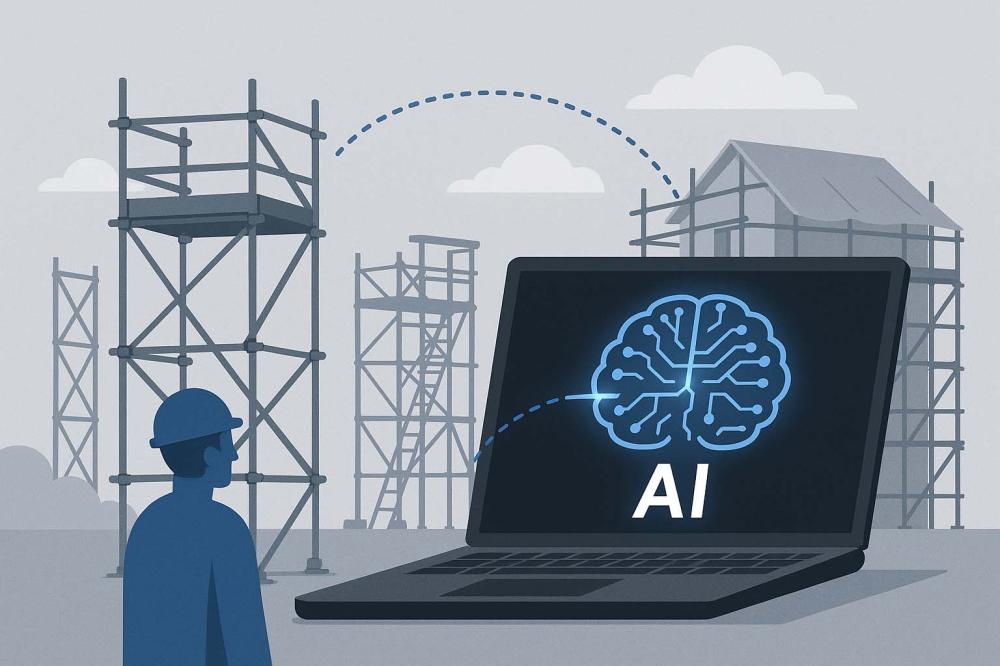
Also, whilst I might have mentioned thins before, on a previous blog I used a general image that I got from a free stock photo source. However, I later got a bill for £500, which I didn't pay. The point is, I can now use an AI prompt to create quite satisfying blog thumbnails, such as the one on this blog. And I will be honest, it’s the first the AI produced, and I don't like it, but I used it, it’s quite adequate, and moreover, it really does mean I don't get any surprise bills by getting something random from a Google image search. Really, AI is win, win, win.
That’s the story I’ll be telling my clients: AI helps me design smarter, faster, and better, so they get a website that’s not only modern and accessible, but also delivered more efficiently.
 “TWS has over 24 years experience in website design and management.”