If your business wants to win on Google, it’s no longer enough to simply rank #1 for your target keyword.
Today’s Google results are rich, layered, and vary significantly across devices and search intent. From organic search to AI-powered answers, local packs, shopping ads, and structured snippets, businesses have more opportunities (and more competition) than ever.
This blog breaks down every type of Google listing a company might appear in, whether organically or through advertising, and how they show up on desktop, mobile, Maps, and AI interfaces.
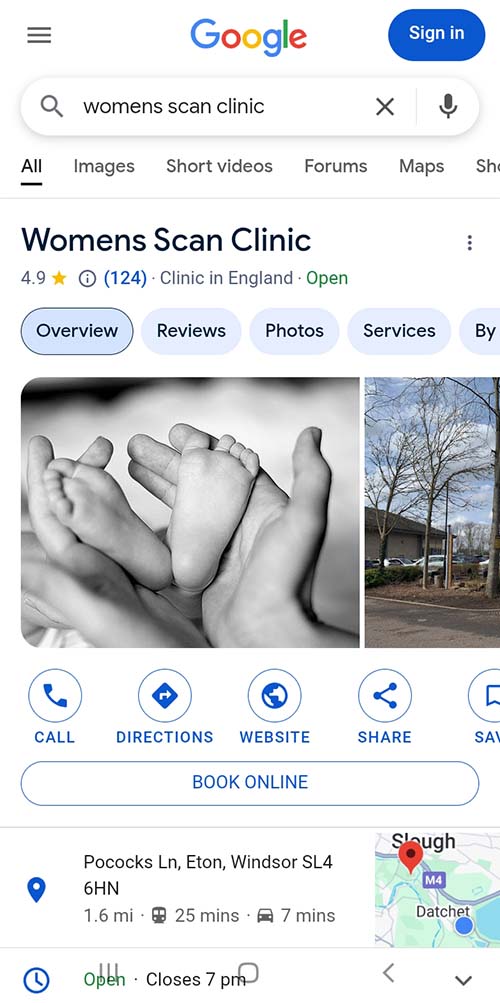
Note, this blog entry has been built with AI and the images, mostly generated with AI, and might vary from the real thing, being there only to illustrate the point. In fact, the blog was created only to detail the fact that on certain Google Business Profile entries on mobile devices, the star rating is shown truncated, with 1 star and the total rating in brackets next to it. Interestingly enough, at the same time as writing this I have read that UK civil servants who used AI saved two weeks a year. This blog took me about 3 hours. I don’t think I would have bothered starting without AI.
1. Organic Search Listings
These are the backbone of traditional SEO. When someone types in a query and your website appears naturally (i.e., unpaid), that’s an organic listing.
Types of Organic Listings:
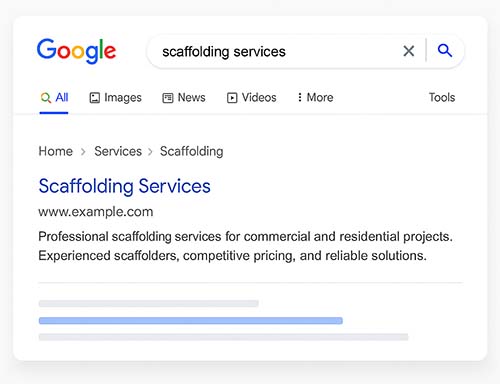
Standard Blue Link
Appears with a title, URL, and short meta description.
May include date, author, or breadcrumbs.
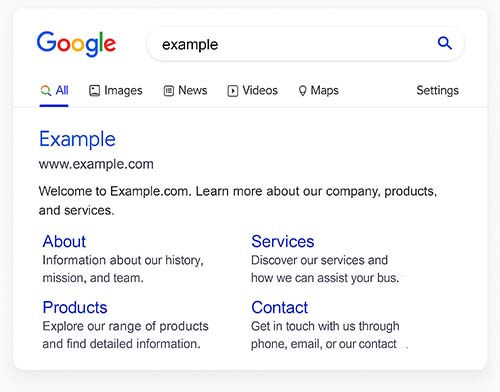
Expanded Sitelinks
When Google shows multiple links under your homepage or a core page.
Helps users navigate quickly to service or product pages.
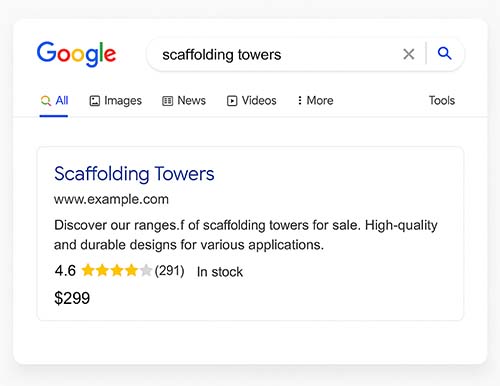
Rich Snippets
Enhanced listings that pull schema markup to display things like ratings, product price, availability, FAQs, and more.
Improves CTR significantly.
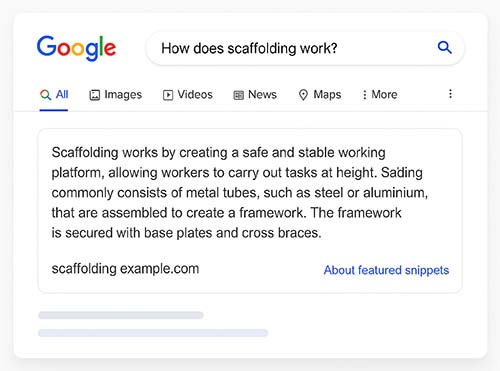
Featured Snippets
Boxed content at the very top of organic results ("Position 0").
Shows an answer pulled from a webpage—lists, paragraphs, or tables.
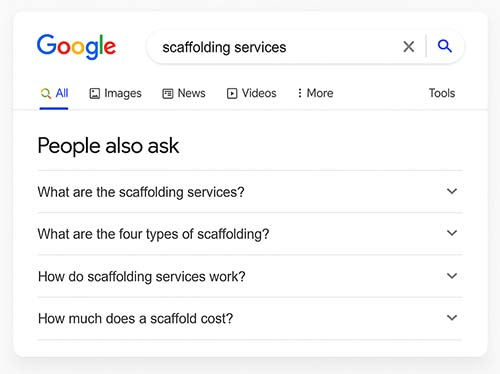
People Also Ask (PAA) Boxes
Dropdown questions related to the search.
Clicking expands with an answer and source link.
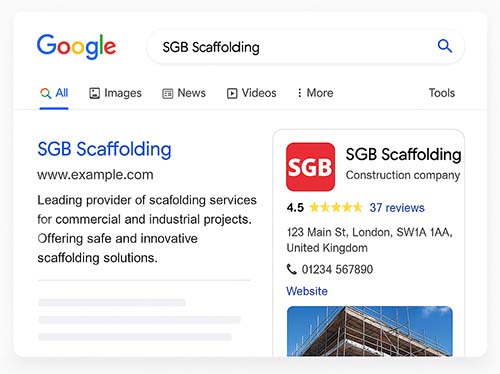
Knowledge Panel (Right-Side on Desktop)
For branded queries or well-known businesses.
Includes logo, business details, social profiles, and sometimes products.
2. Sponsored/Paid Google Listings (Google Ads)
Paid listings dominate many high-intent commercial queries.
Types of Paid Listings:
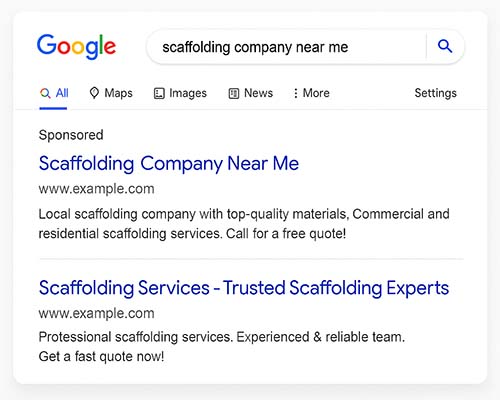
Search Ads (Text Ads)
Appear at the top or bottom of the SERPs.
Look similar to organic results but are marked with “Sponsored” or “Ad.”
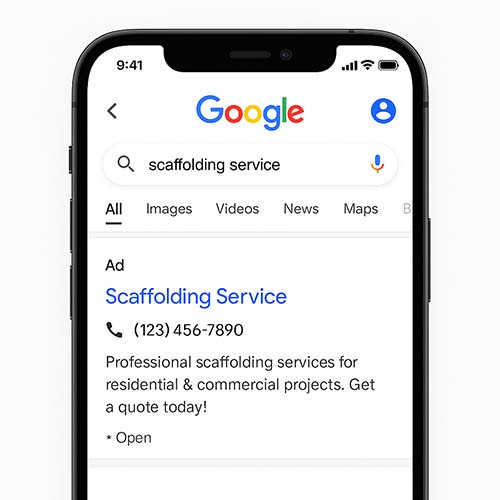
Call Ads
Mobile-specific ads that highlight a click-to-call CTA.
No link to a website—just a tap to call.
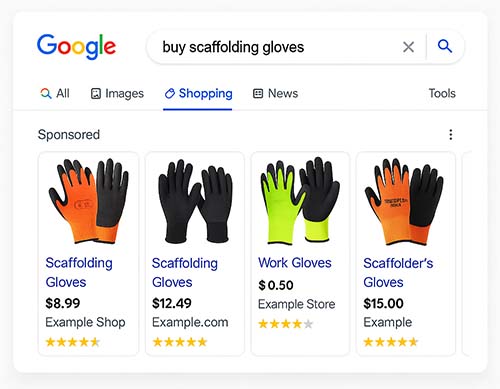
Shopping Ads (Product Listing Ads)
Appear as a carousel with image, title, price, seller, and reviews.
Perfect for eCommerce businesses.
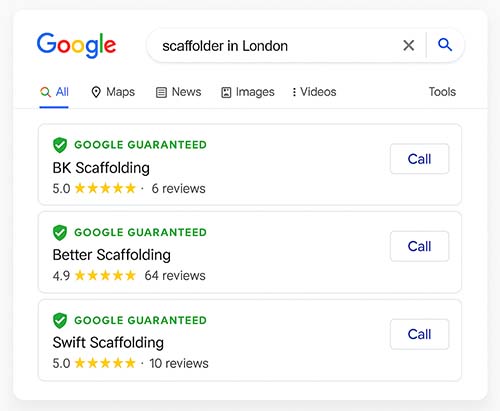
Local Services Ads (LSAs)
Designed for service-based businesses like plumbers or scaffolders.
Include “Google Guaranteed” badge, reviews, and call button.
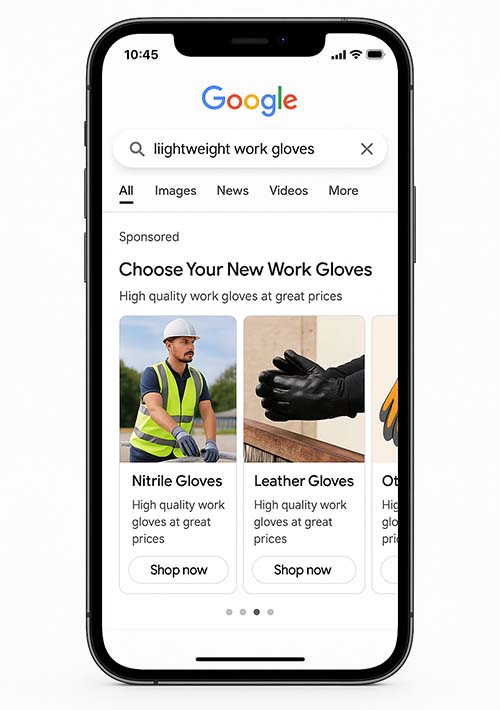
Performance Max Campaign Entries
Appear across Google properties (Search, YouTube, Gmail, Maps, Discover).
Results can be visual, video, or hybrid.
3. Google Maps Listings (Local SEO)
Maps are essential for location-based searches. Being well-optimized here is vital for physical businesses.
Types of Map Listings:
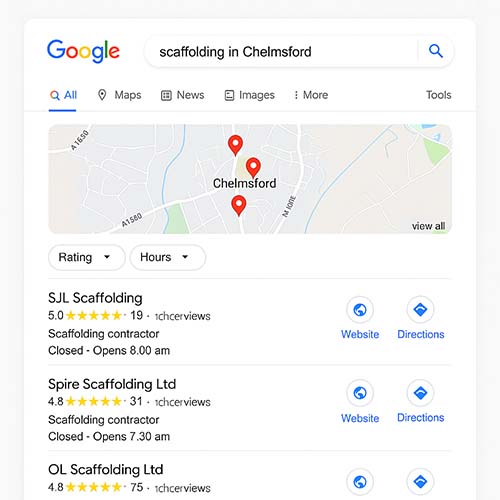
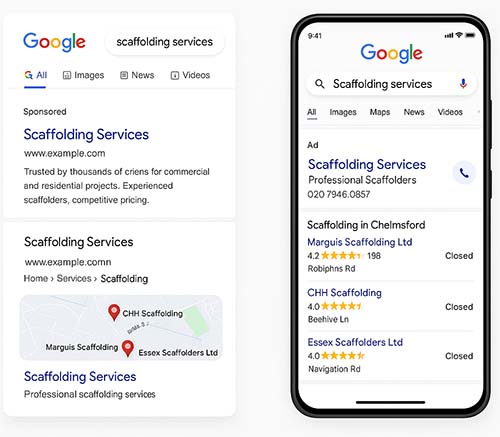
Local 3-Pack (Map Pack)
Appears on regular Google SERPs for local queries.
Shows three top businesses with address, rating, hours, and directions.
Expanded Google Maps View
Click “View all” to see the full Maps interface.
Includes more listings, filters, photos, Q&A, and reviews.
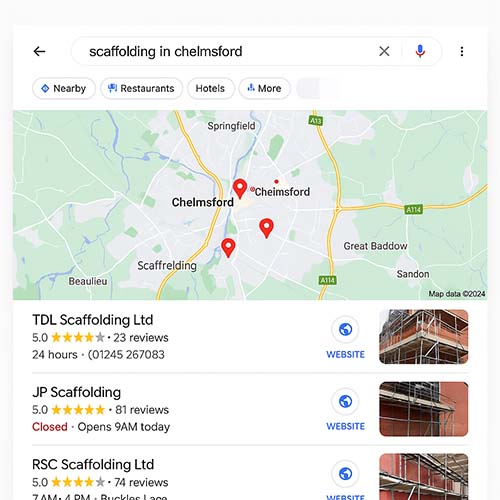
Google Business Profile (GBP) Listing
Your main hub on Maps.
Includes photos, reviews, services, products, booking buttons, FAQs, and posts.
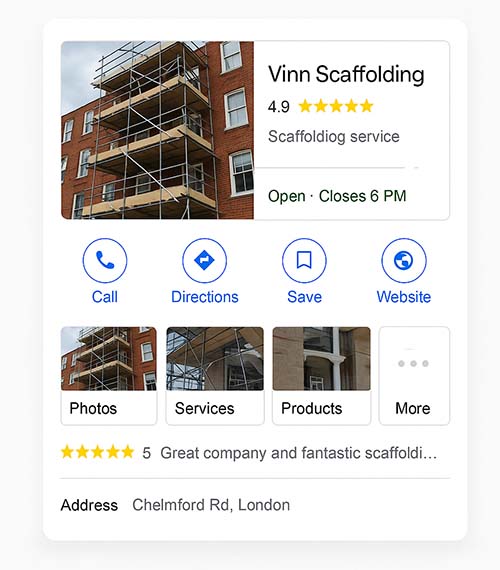
Enhanced/Mega Google Business Profile (GBP) Listing
Google Business Profiles can often include more information if your site is popular and well used, demonstrating extra trust and importance.
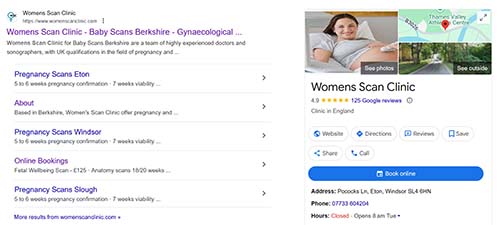
Enhanced/Mega Mobile Google Business Profile (GBP) Listing
Google Business Profiles on a phone can also often include more information, however, the layout varies and in particular, the star rating is truncated to one star with the rating next to it. This does not mean you only have 1 star.
4. AI-Powered Google Results
With the rollout of Google’s Search Generative Experience (SGE) and other AI integrations, the nature of Google listings is changing rapidly.
Types of AI Entries:
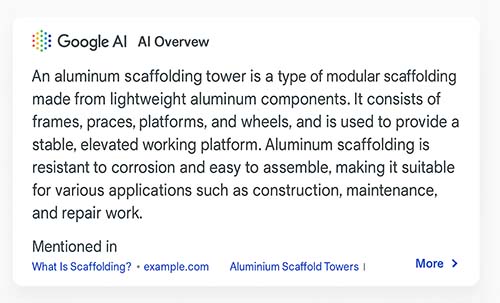
AI Overviews (SGE Summaries)
Appear at the top of search.
Pull data from multiple sources to create a summary.
May or may not link back to original sources.
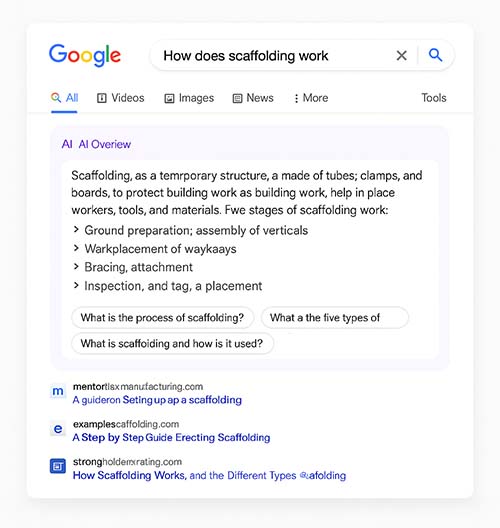
Follow-up Prompts
Below the AI Overview are suggested next questions or drill-downs.
“Mentioned in” Cards
Google sometimes shows source sites that contributed to the AI summary.
5. Mobile-Specific Google Listings
Search results can look very different on mobile devices.
Notable Differences:
Fewer organic results shown above the fold.
Swipeable carousels for ads and image results.
Call buttons on local listings.
More prominent Maps integrations.
6. Google Discover and Other Ecosystem Listings
Beyond Search, Google promotes content in other areas:
Google Discover Feed
Personalized mobile feed based on user behavior.
Shows articles, products, and videos.
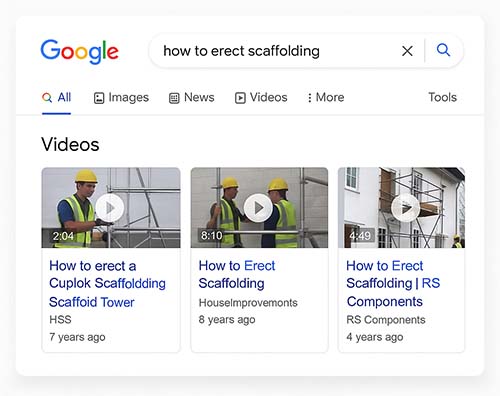
YouTube Video Carousels in Search
Especially important for product reviews and tutorials.
Often shows on both mobile and desktop.
Google News Listings
If your site is accepted into Google News, it can appear under the “News” tab or carousels.
Includes headline, publisher name, and image.
7. Schema-Enhanced and Interactive Features
Adding structured data (schema.org) to your site can create unique visibility formats:
Event Listings
For upcoming events—shown in a carousel or calendar format.
Job Postings
For companies hiring—shows job title, company, and location.
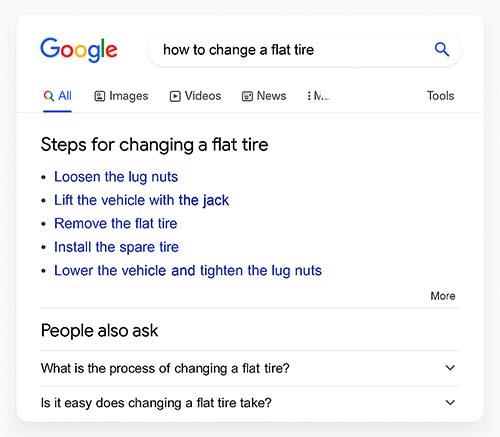
How-To and FAQ Carousels
“Step-by-step” displays for process-driven content.
Conclusion
As Google continues to evolve, your company’s presence on the platform now spans well beyond traditional SEO. From AI-generated responses and product carousels to Maps listings and schema-powered enhancements, businesses must think holistically about their search visibility.
Understanding and leveraging these different types of Google listings will not only boost your reach but also improve user experience and conversion rates—regardless of where or how people search.
Pro Tip: Always test your branded search on both desktop and mobile. The way your business appears in search can reveal gaps in optimization, missing schema, or review opportunities.
If you would like more information, or to find out how TWS can support your web strategy, please call now on 07745 466608.
 “TWS has over 24 years experience in website design and management.”